Case Study · E-learning Platform

Educraft

Modern e-learning platform designed for course discovery
Role
Product Designer
Tools
Figma, Claude AI
Timeline
1–2 weeks
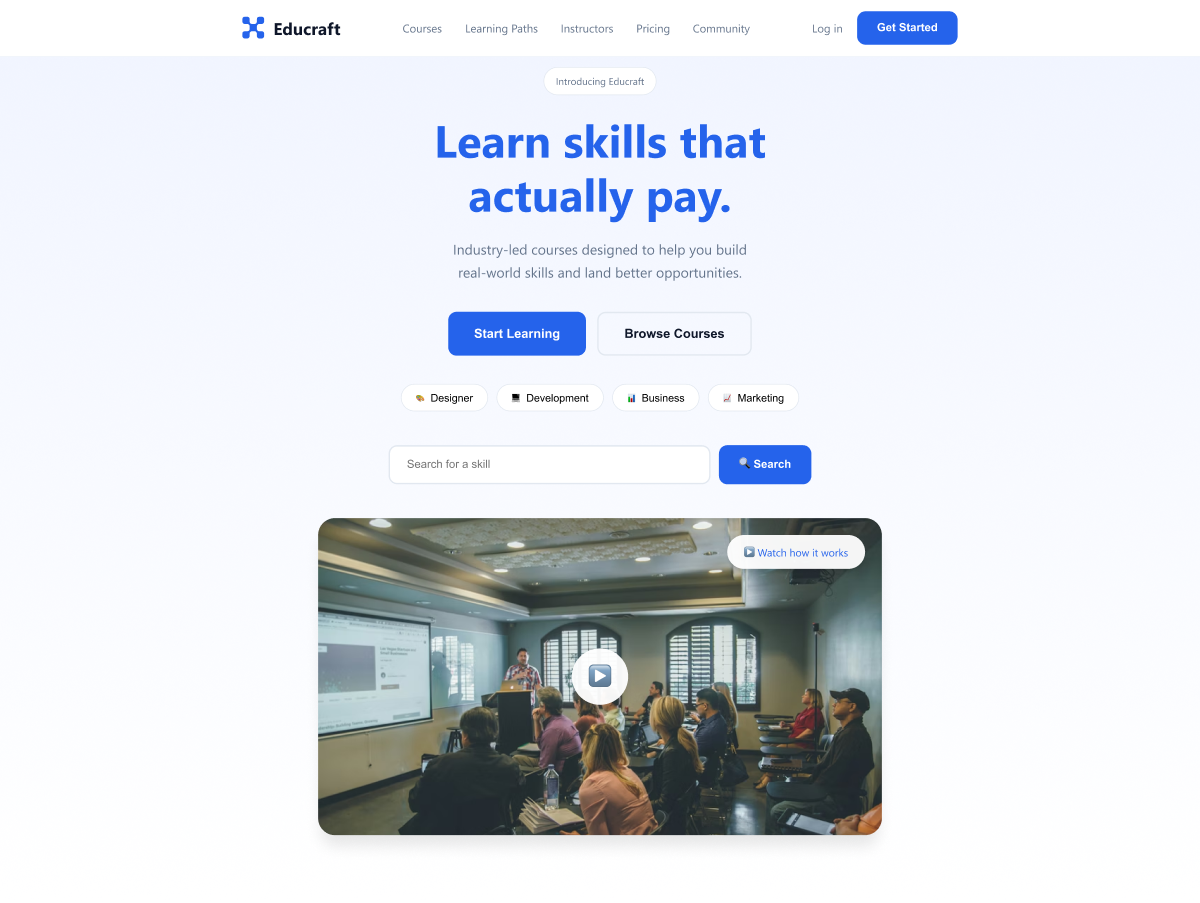
Educraft hero screen

Educraft — Hero section overview

01 — Overview

Quick Info

Role
Product Designer
Platform
Web
Goal
Simplify course discovery
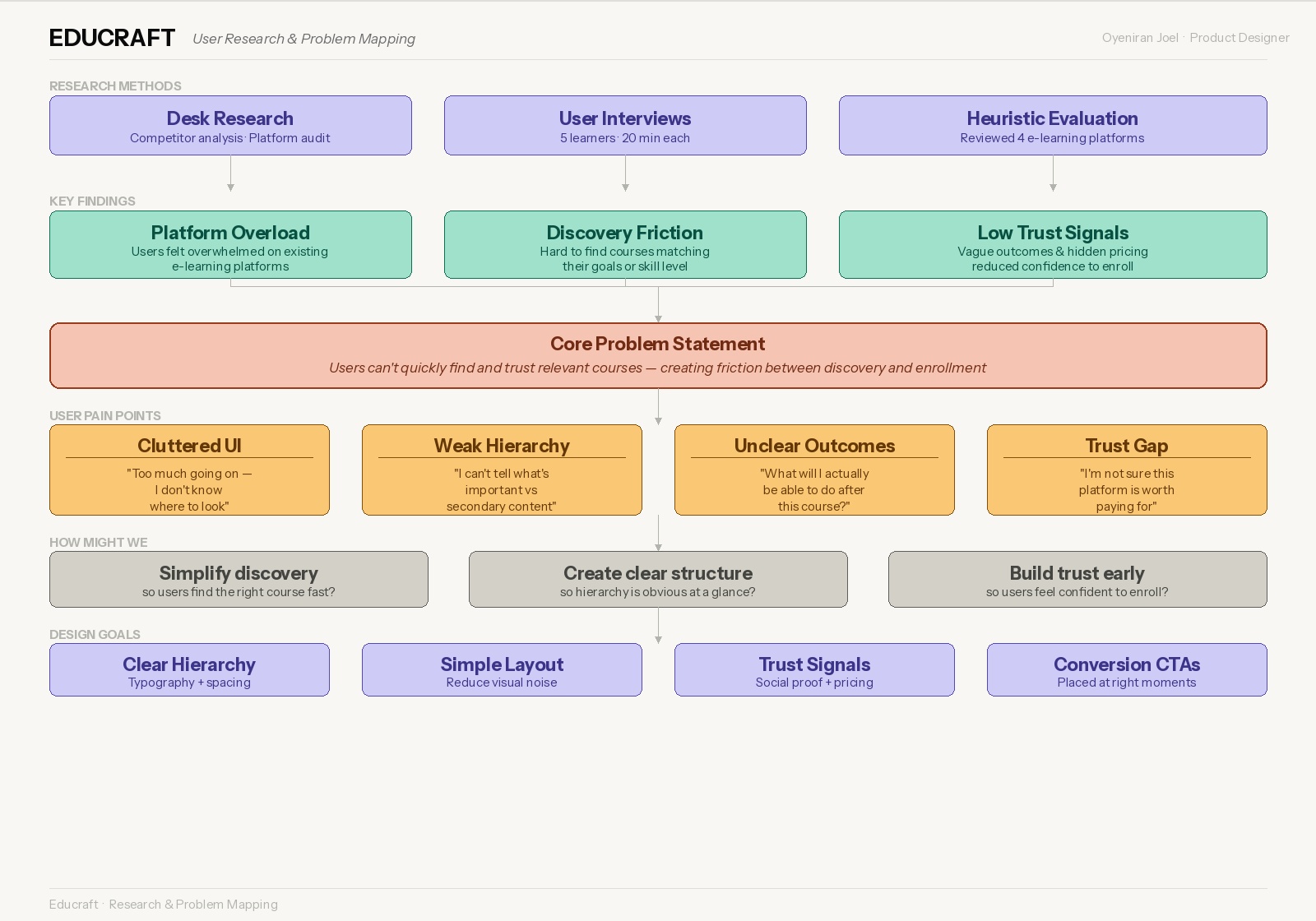
02 — Problem

What was broken?

Research and problem mapping

User pain point mapping

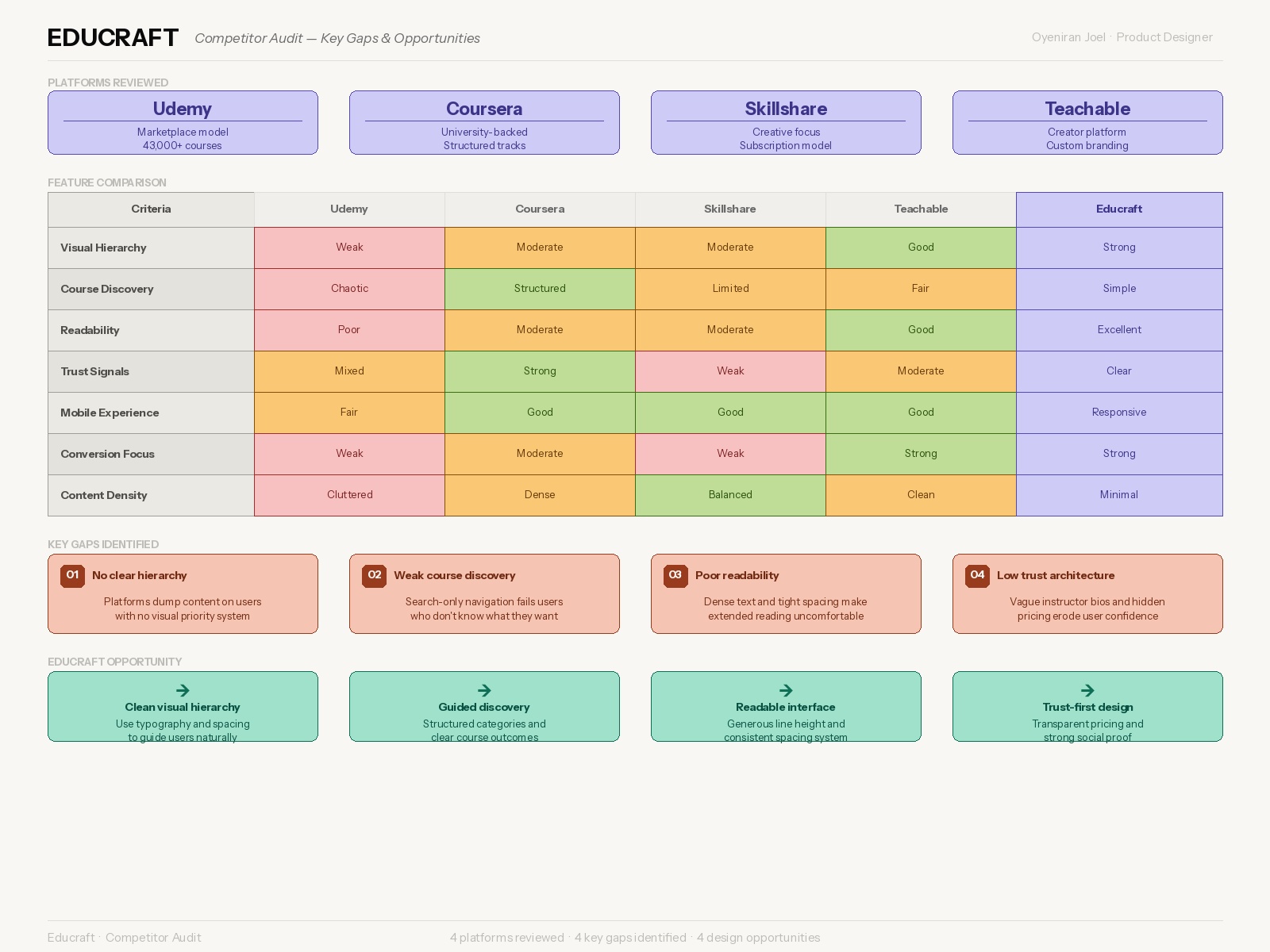
Competitor audit

Competitor audit — key gaps

03 — Goal

Design objectives

Simplify Discovery
Simplifies how users discover and identify courses relevant to their goals.
Improve Clarity
Improves content hierarchy and readability across all key sections.
Build Trust
Builds trust through well-organized information and credibility signals.
Drive Enrollment
Encourages users to take action — enroll or sign up — at the right moments.
04 — Design Approach

How I approached the design

1
Visual Hierarchy
Strong typography and spacing to guide users naturally.
2
Minimalism
Removed distractions, used white space intentionally.
3
Conversion Flow
Structured to move users from discovery to enrollment.
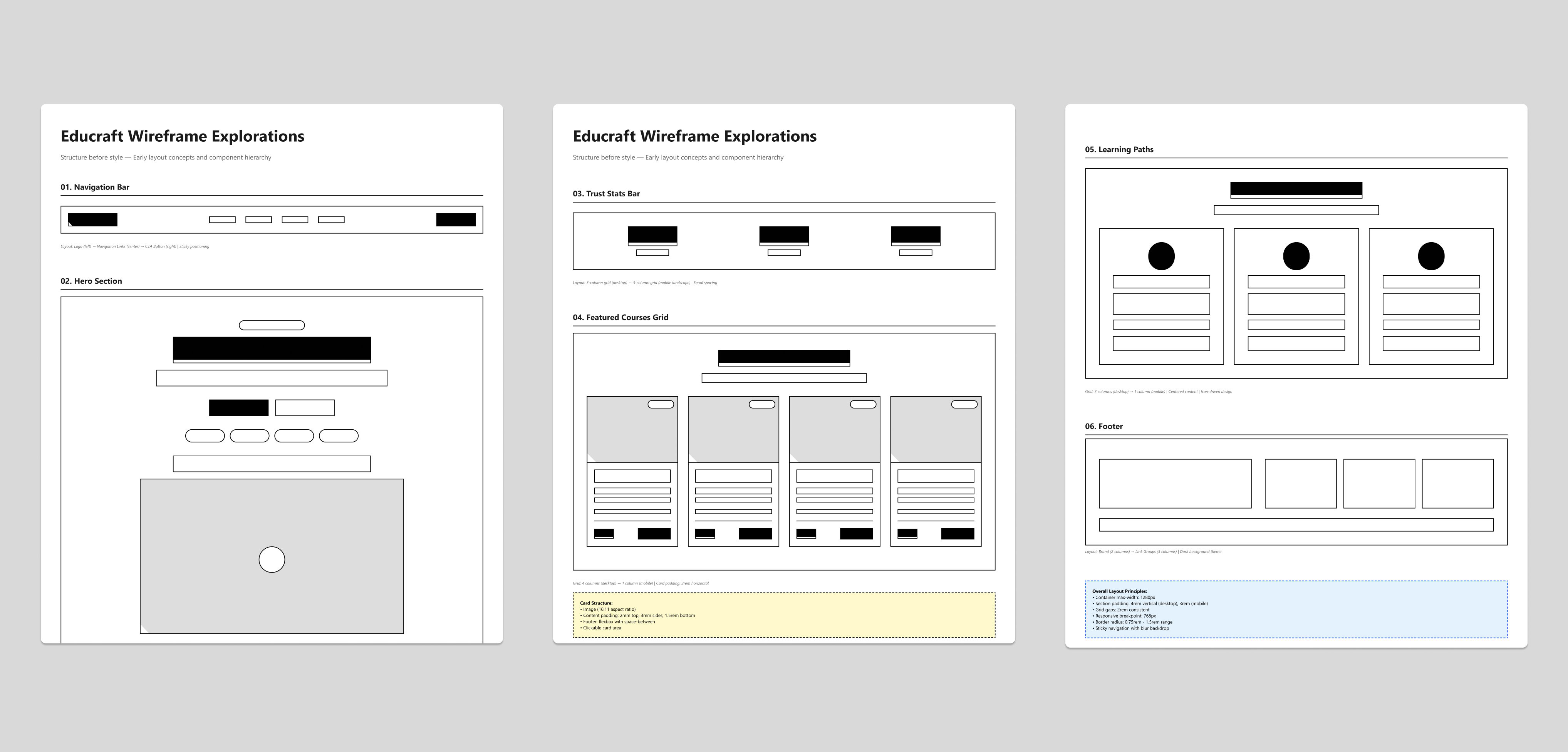
Early wireframe explorations

Early wireframe explorations — structure before style
05 — Key Sections

Building the experience

Hero Section
Clear headline and CTA — communicates value immediately.
Course Section
Card layout for easy scanning and comparison.
Testimonials
Social proof to build credibility and reduce enrollment hesitation.
Pricing
Easy-to-compare tiers so users choose a plan confidently.
Call-to-Action
Placed at key decision points throughout the page.
06 — Design Showcase

Final Screens

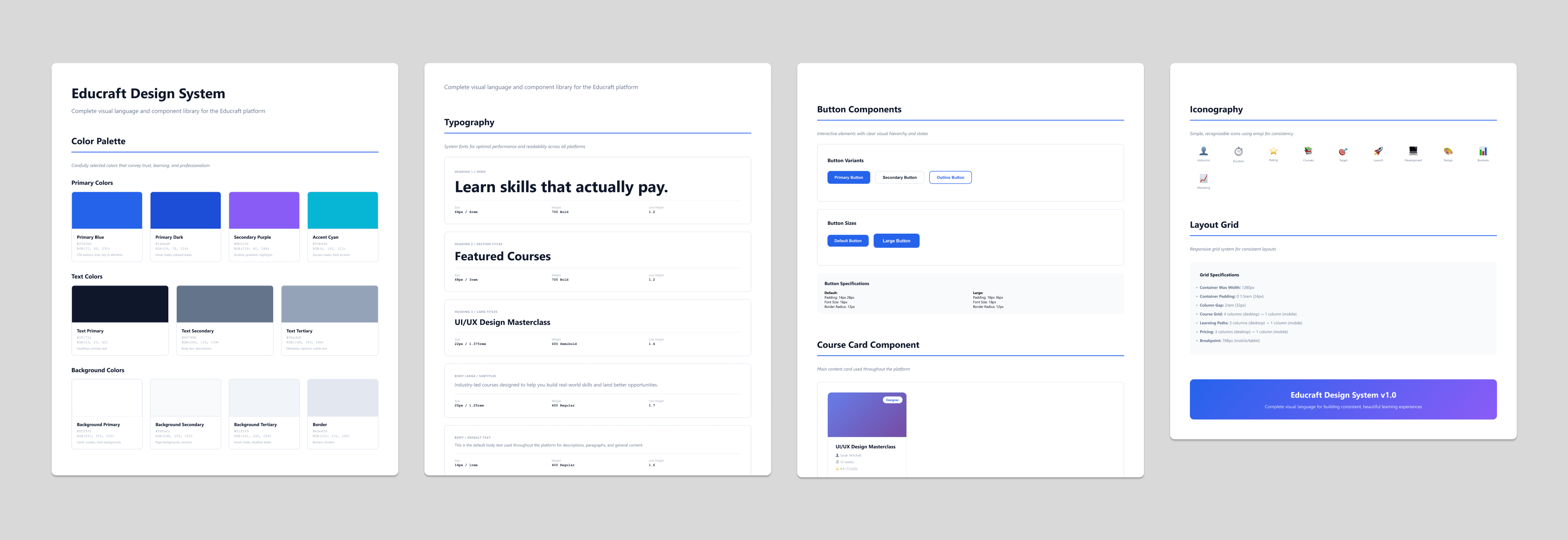
Complete Design System

Complete Design System

Homepage

Homepage

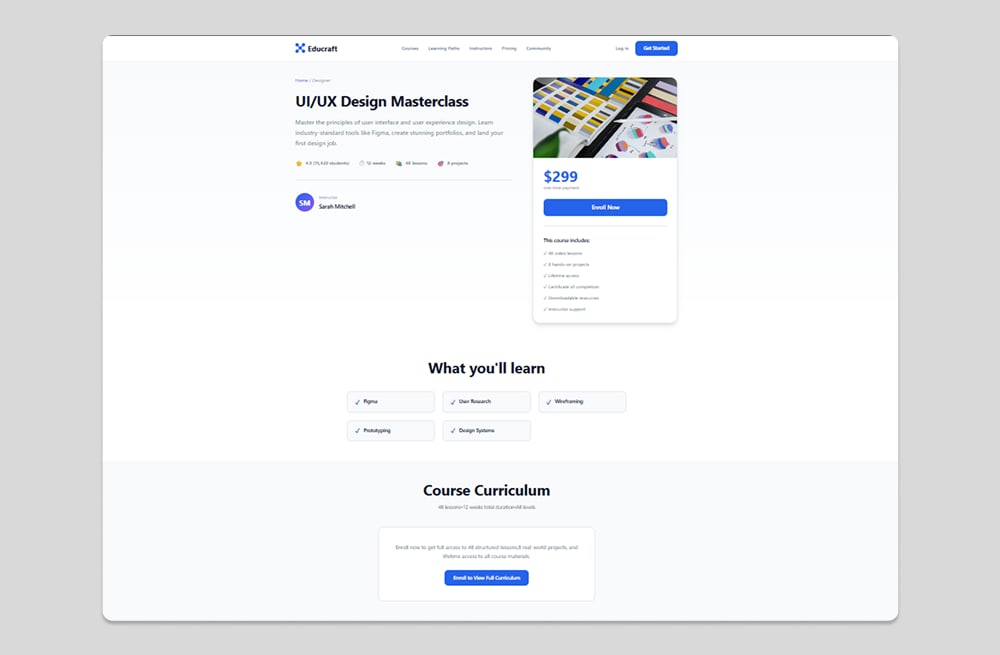
Course View

Course View

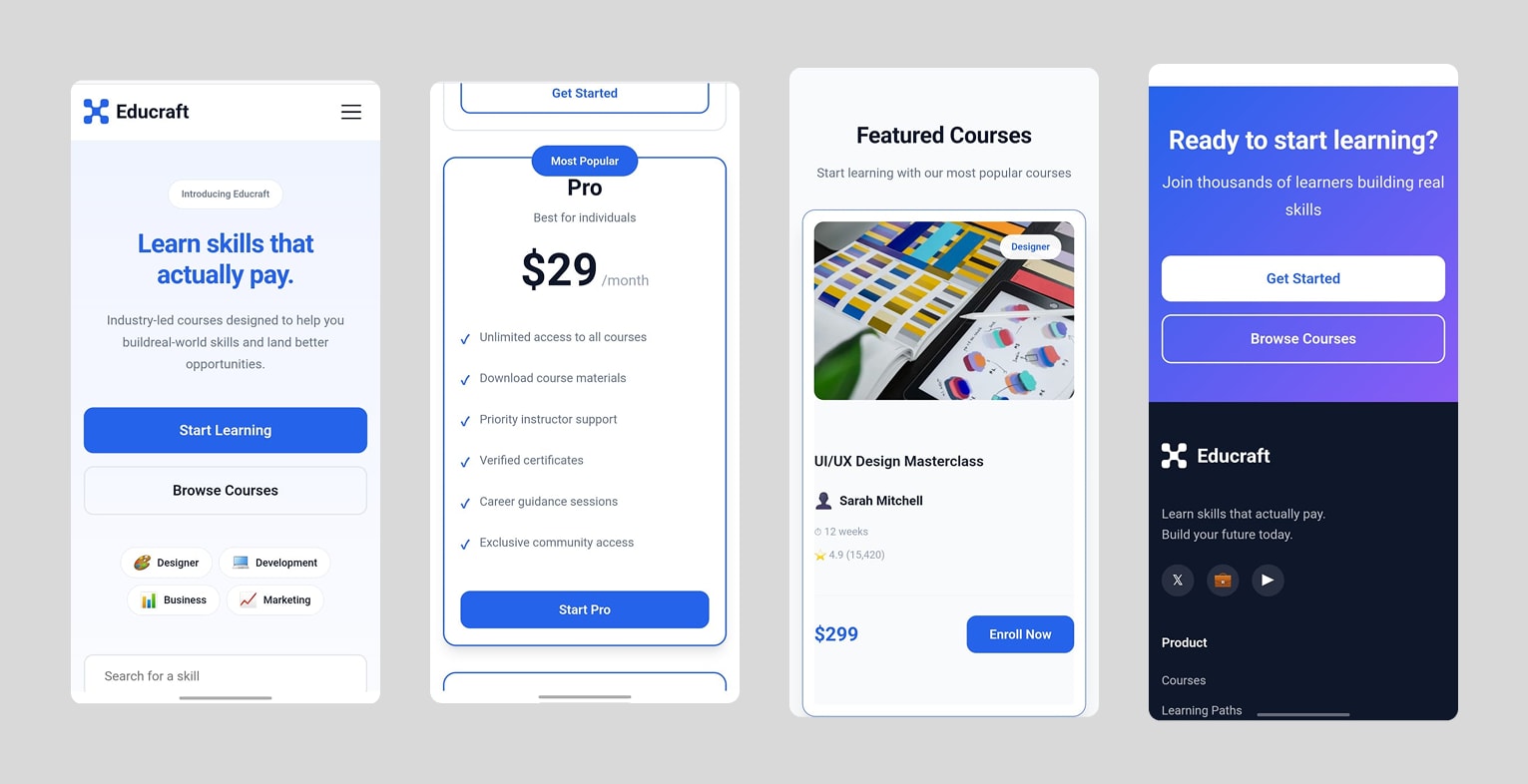
Mobile Experience

Mobile Experience

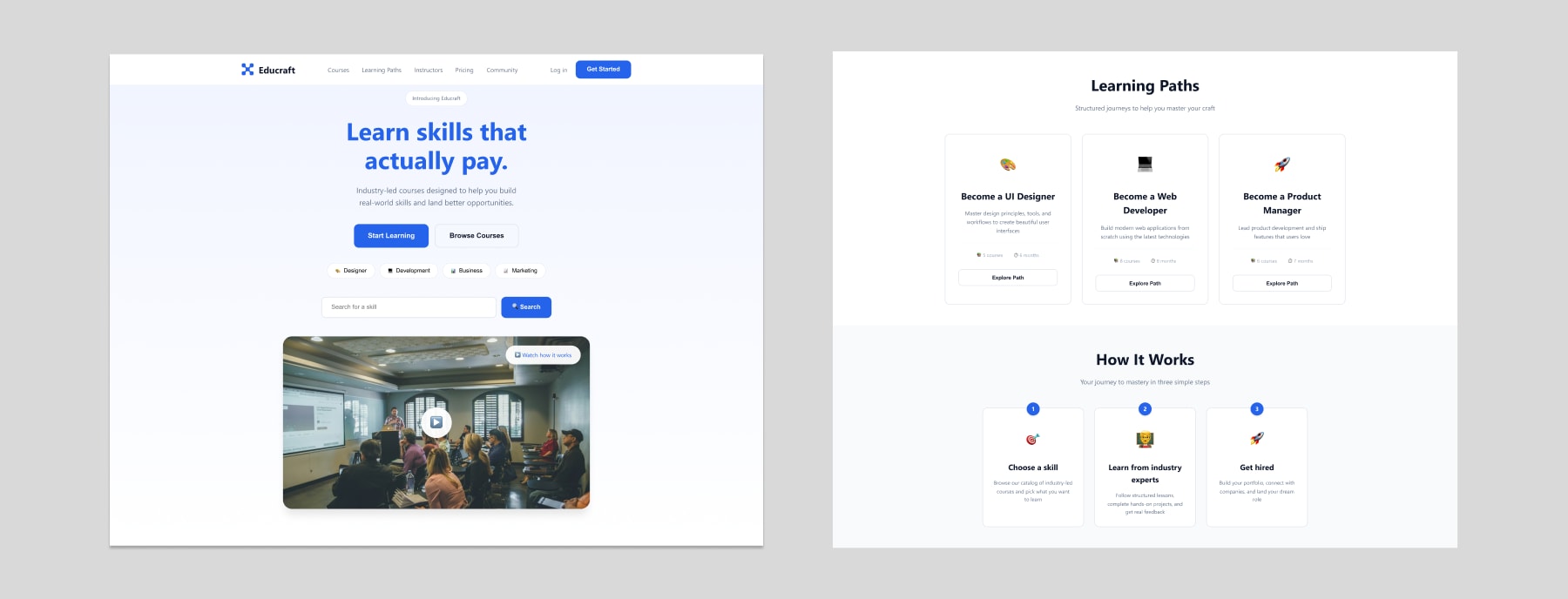
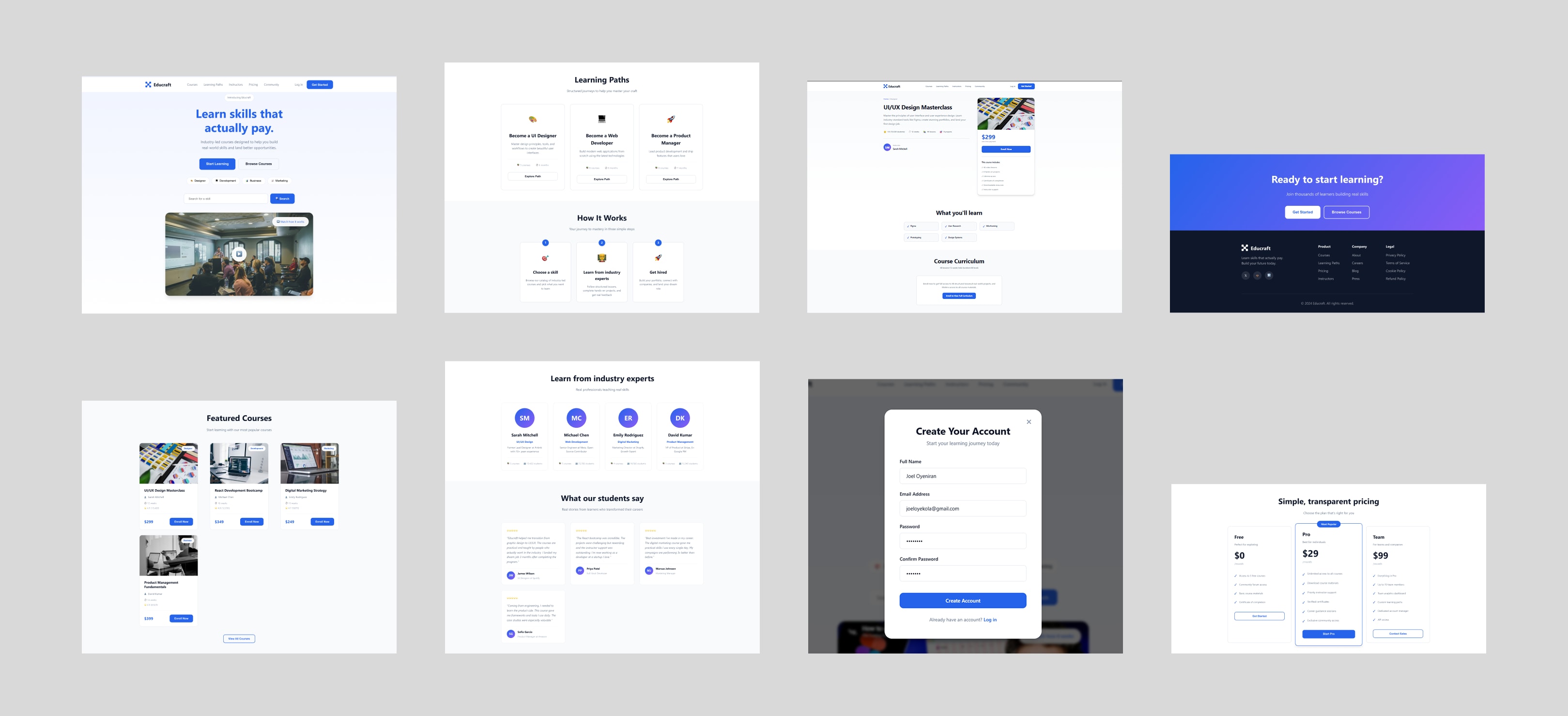
Educraft final design, full-page view

Educraft — key screens at desktop breakpoint
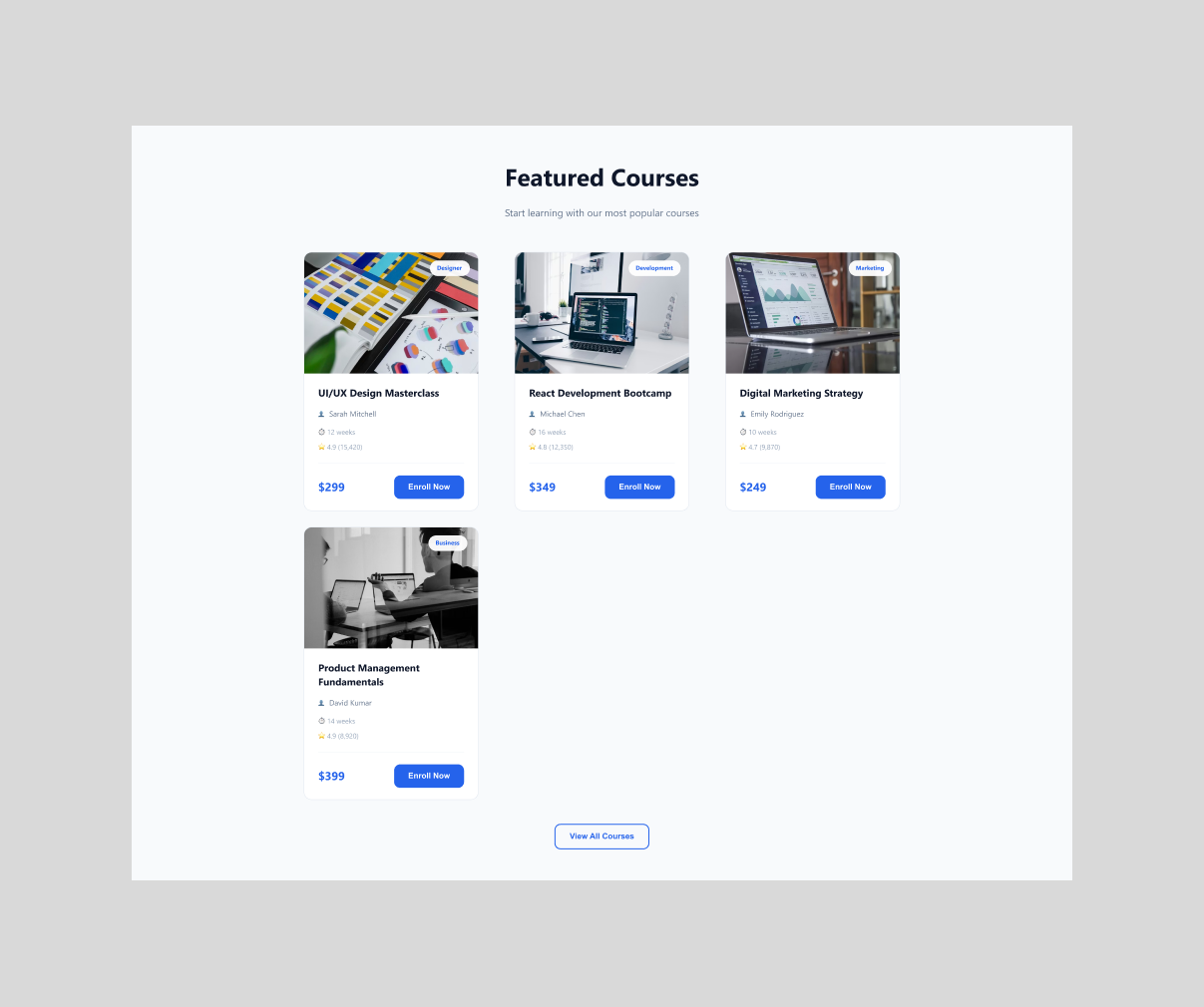
Course cards

Course section — card layout

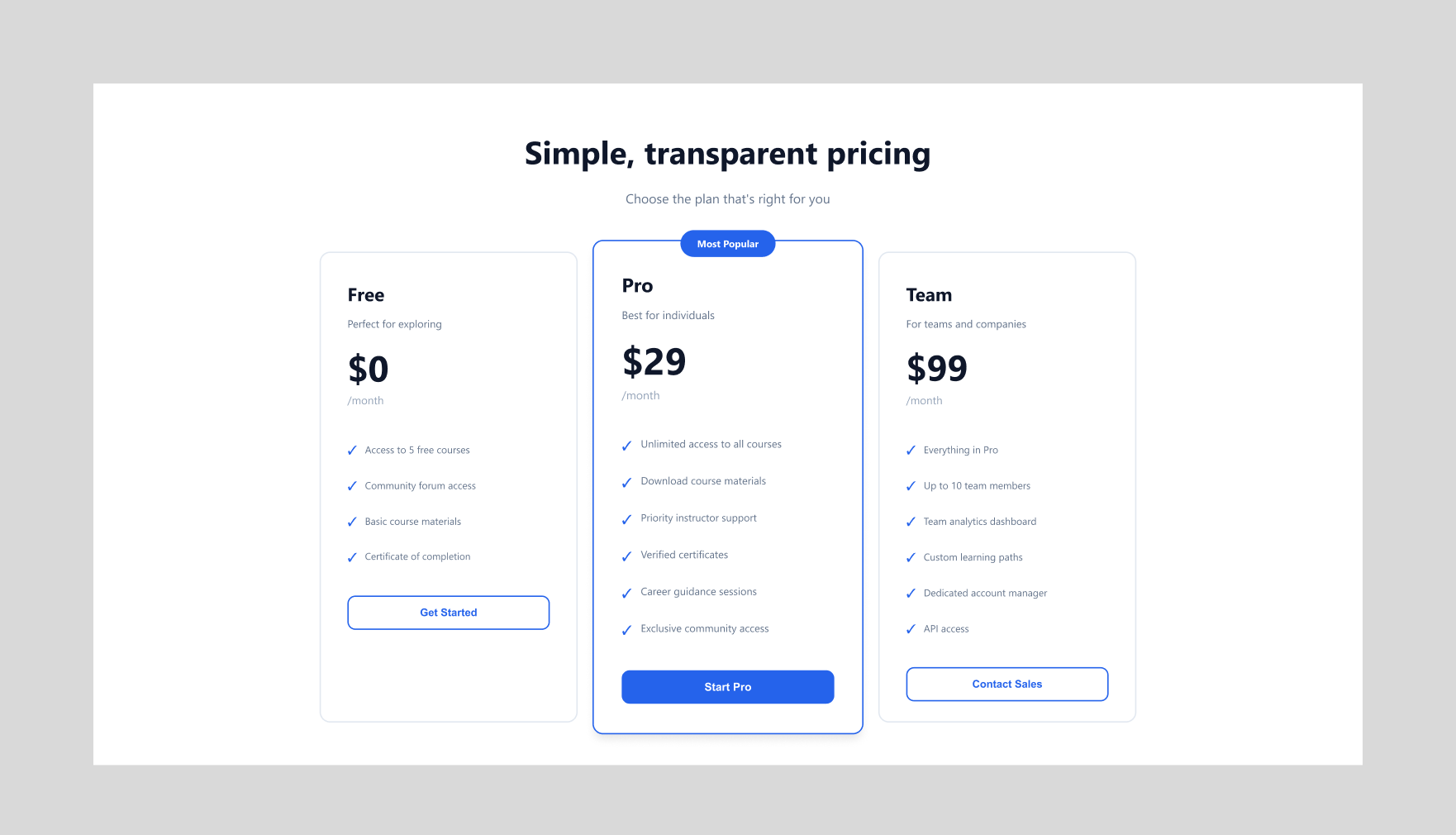
Pricing section

Pricing — three-tier layout

07 — Visual Design

Design decisions

Typography Clean typefaces chosen to improve readability and hierarchy
Spacing system Consistent spacing scale to create structure and visual rhythm
Aesthetic Minimal — unnecessary elements removed to reduce distractions
Color Subtle contrast used intentionally to guide user attention
08 — Implementation

From design to live product

Translated into a responsive live product using Figma and Claude AI for rapid iteration.

09 — Outcome

What was achieved

5
Key sections designed and shipped
1:2
Weeks from brief to live product
100%
Responsive across all breakpoints

A focused, modern interface that simplifies course discovery and drives enrollment.
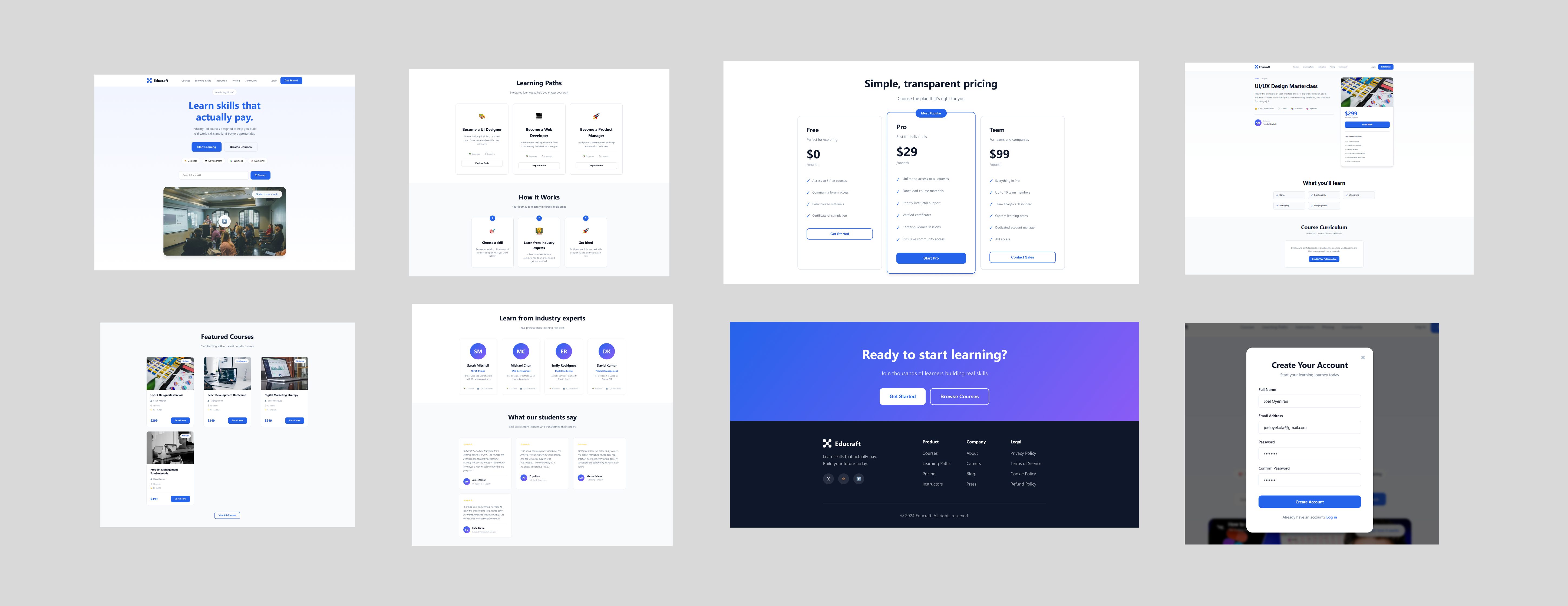
Final product overview

Educraft — final design, full-page view

10 — Reflection

Looking back

Key takeaways

  • Structure and hierarchy are critical in content-heavy interfaces
  • Simplicity improves usability and overall engagement
  • Designing with intent leads to better user outcomes

What I'd improve

  • Conduct user testing to validate layout and content decisions
  • Explore personalization features to improve course relevance
  • Expand the platform into a more complete product experience beyond the landing page
Next project
Nairaland Redesign

See the live product

View Live Site ↗